
Artificial intelligence is becoming more useful every year, but even powerful AI models have one major limitation: by default, they do not automatically know what is happening inside your business tools, files, databases, apps, or workflows.
A chatbot can explain a concept. It can help write an email. It can summarize text you paste into it. But what if you want it to check your calendar, read a project file, query a database, review a support ticket, or take action inside another application?
That is where MCP comes in.
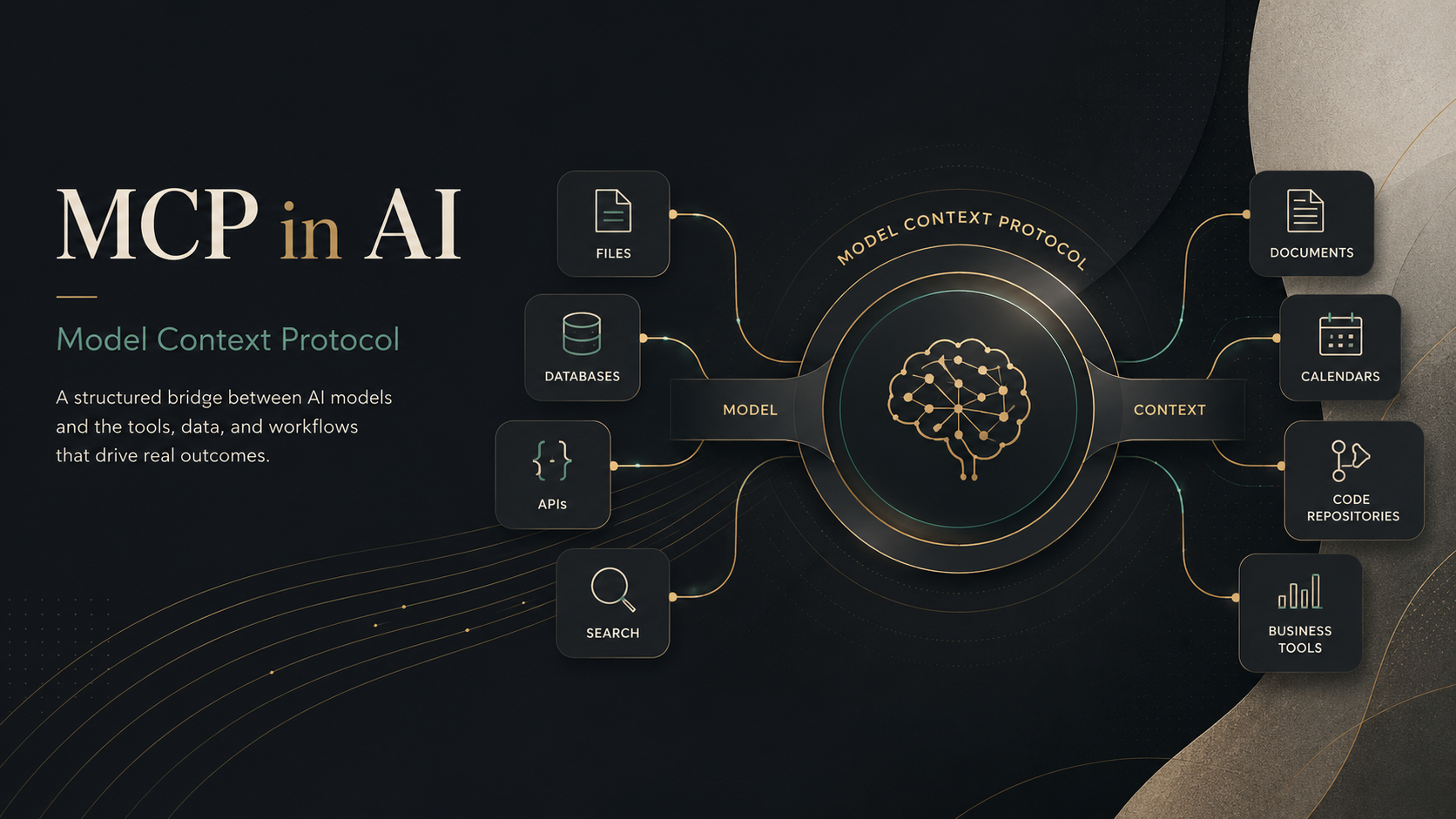
MCP stands for Model Context Protocol. In simple terms, it is a standard way for AI applications to connect with external tools, data sources, and systems. Instead of every AI app needing a separate custom integration for every service, MCP creates a more structured and reusable method for connecting AI with the outside world.
Why MCP Was Needed
For a long time, AI tools were mostly isolated. They could respond based on their training data and whatever the user typed into the chat box, but they could not easily access live or private information unless developers built custom integrations.
That created a problem.
If one company wanted an AI assistant to connect to its database, file storage, CRM, support desk, analytics platform, and internal documents, each connection might need to be built separately. If the company later changed AI tools, many of those integrations might need to be rebuilt or adjusted again.
This is inefficient.
MCP tries to solve this by giving developers and AI applications a common connection pattern. The idea is similar to how a standard port or connector makes it easier for many devices to work together. MCP gives AI systems a shared way to request context, discover available tools, and interact with connected systems.
What MCP Actually Does
MCP helps an AI application answer a practical question: “What information and tools are available to me, and how can I safely use them?”
An MCP setup can give an AI assistant access to things like:
- Files and documents
- Databases
- APIs
- Search tools
- Business applications
- Developer tools
- Internal workflows
- Reusable prompt templates
For example, imagine asking an AI assistant:
“Check whether this customer has an open support ticket, review the latest order status, and draft a reply.”
Without integrations, the assistant can only give generic advice. With the right MCP connections, the assistant may be able to access the support system, look up the order, read relevant policy information, and prepare a more useful response.
That is the difference between an AI tool that only talks and an AI tool that can work with real context.
The Basic MCP Architecture
MCP uses a client-server model. This means different parts of the system have different roles.
The MCP host is the AI application the user interacts with. This could be a chatbot, coding assistant, desktop AI app, or AI-powered workspace.
The MCP client is the part inside the host that manages a connection to an MCP server.
The MCP server is the program that exposes data, tools, or workflows to the AI application.
A simple way to understand it is this:
The AI app is where the user asks the question.
The MCP client manages the connection.
The MCP server provides the useful outside context or action.
An MCP server could expose a company database, a filesystem, a GitHub repository, a calendar, a CRM, or another service. The AI application does not need to know every technical detail of every system in advance. It can discover what the MCP server makes available.
Tools, Resources, and Prompts
MCP commonly revolves around three useful concepts: tools, resources, and prompts.
Tools are actions the AI can call. For example, a tool might search a database, create a ticket, calculate a value, fetch a webpage, or call an API.
Resources are pieces of information the AI can read. These might include files, records, schemas, documents, logs, or other data that provides context.
Prompts are reusable instructions or templates. They can guide the AI through a specific workflow, such as summarizing a report, creating a support response, reviewing code, or generating a structured business profile.
This structure matters because AI systems need more than raw data. They need a safe and organized way to understand what is available, when to use it, and what kind of output is expected.
How MCP Is Different From a Normal API
MCP does not replace APIs. In many cases, an MCP server may still use an API behind the scenes.
The difference is that a regular API is usually built for software developers, while MCP is designed to make tools and context available to AI applications in a standard way.
An API might say, “Here is an endpoint to retrieve customer records.”
An MCP server can say, “Here is a tool the AI can use to search customer records, here is the input format, here is the type of response it returns, and here is related context that may help.”
That makes MCP more AI-friendly. It gives the model a clearer map of what it can do and how it should interact with the connected system.
MCP and AI Agents
MCP is especially important in the world of AI agents.
An AI agent is not just a chatbot that answers questions. It is an AI system that can take steps toward a goal. For example, it might gather information, compare options, update a file, create a draft, ask for confirmation, and then complete a task.
For agents to be useful, they need access to tools. They also need boundaries. MCP helps provide both.
A well-designed MCP server can expose only the tools and data that are necessary. This allows an AI assistant to become more useful without giving it unlimited access to everything.
For example, a support-related MCP server might allow the AI to read tickets and draft replies but require human approval before sending a message. A finance-related MCP server might allow the AI to retrieve reports but not initiate transactions unless additional permissions are granted.
Why MCP Matters for Businesses
For businesses, MCP could become an important part of AI adoption.
Many companies already have valuable information scattered across different systems: documents, spreadsheets, databases, email platforms, project management tools, CRMs, analytics dashboards, and internal apps. AI becomes far more valuable when it can work with that context.
MCP can help businesses:
- Reduce the need for repeated custom integrations
- Connect AI assistants to existing systems
- Make internal data more usable through chat-based interfaces
- Build more capable AI workflows
- Give developers a more consistent integration pattern
- Improve productivity in support, coding, research, operations, and content workflows
This does not mean every business needs MCP immediately. But it does show where AI is heading. The next generation of AI tools will not only generate text; they will connect with systems, retrieve live context, and assist with real tasks.
The Security Side of MCP
MCP is powerful, but that power comes with risk.
If an AI assistant can access files, call APIs, query databases, or trigger actions, developers must think carefully about permissions, privacy, and user control.
A good MCP implementation should consider questions like:
- Which tools should the AI be allowed to use?
- What data should be hidden or restricted?
- Should the user approve certain actions before they happen?
- Are logs and audit trails available?
- Can a malicious or poorly designed tool mislead the AI?
- What happens if sensitive data appears in a connected resource?
MCP should not be treated as a magic safety layer. It is a protocol, not a complete security policy. Businesses still need proper authentication, authorization, monitoring, and human approval for sensitive actions.
MCP in Simple Terms
The easiest way to understand MCP is this:
MCP is a standard connection layer that helps AI applications work with external data and tools.
It gives AI systems a more organized way to move beyond isolated chat responses and become connected assistants that can use real-world context.
Without MCP, every AI-to-tool connection can become a separate custom project. With MCP, developers can build around a shared protocol, making integrations more reusable and easier to manage.
Final Thoughts
MCP is still a technical concept, but its importance is easy to understand. AI tools are becoming more capable, and users increasingly expect them to work with real information, not just general knowledge.
For developers, MCP offers a cleaner way to build integrations. For businesses, it points toward a future where AI assistants can interact with the tools employees already use. For everyday users, it could mean AI that is more personalized, more useful, and better connected to actual workflows.
In the long run, MCP may become one of the quiet infrastructure layers behind practical AI adoption. Most users may never think about the protocol itself, just as they do not think much about the technical standards behind the web. But if MCP succeeds, it could help make AI applications more connected, more flexible, and more useful in everyday work.